
Text,
transformed.
Right-click any selected text to transform it — change case, escape newlines, and more. Sixteen transformations, right where you're already typing.



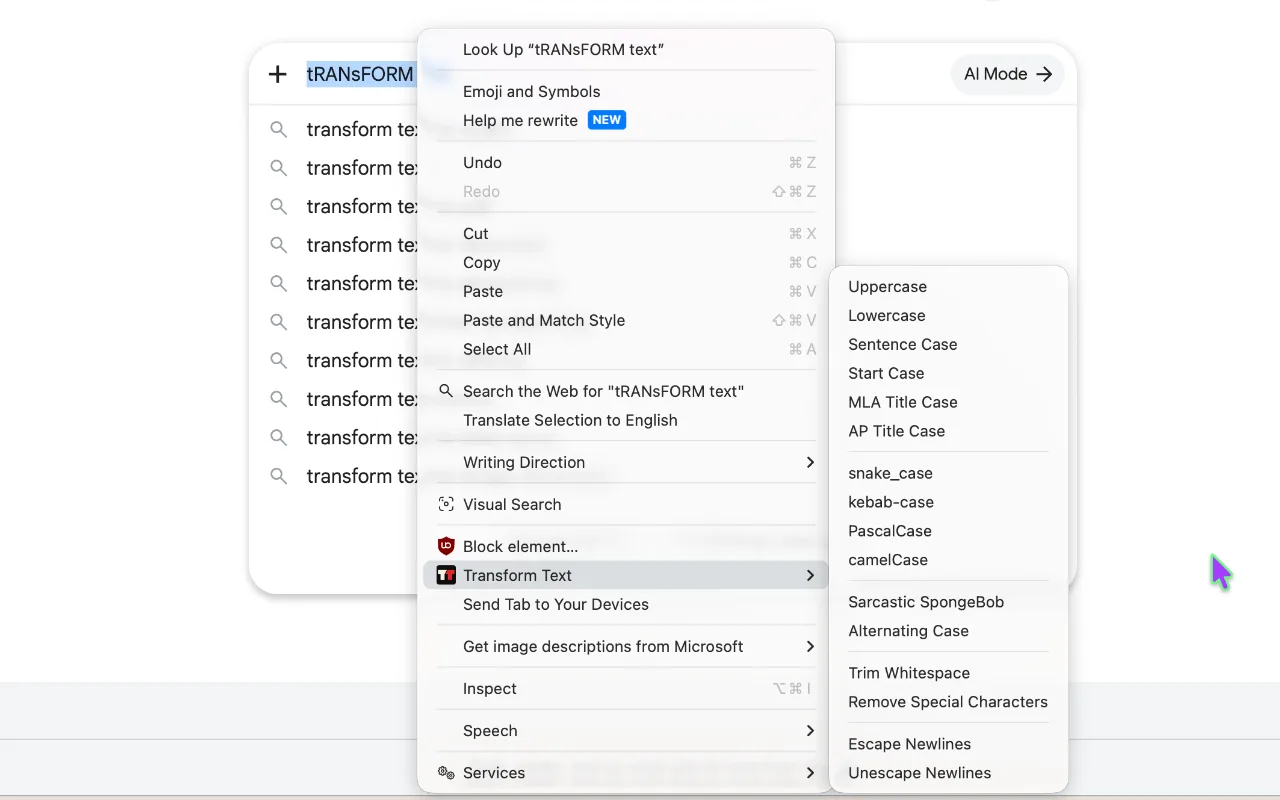
The menu, in full
Case
Uppercase · Lowercase · Sentence · Start · MLA Title · AP Title
Code Format
snake_case · kebab-case · PascalCase · camelCase
Fun
Sarcastic SpongeBob · Alternating Case
Cleanup
Trim Whitespace · Remove Special Characters
Escaping
Escape Newlines · Unescape Newlines
Privacy
"Nothing you type ever leaves your browser."
Before you ask
Does it work wherever I select text?
Only in editable fields — inputs, text areas, and contenteditable regions. Selected text in a paragraph or heading can't be replaced, since the page itself won't allow it.
Why do Escape/Unescape Newlines sometimes act up?
A browser limitation strips newlines from the selected text before the extension ever sees it, so multi-line selections don't always escape the way you'd expect.
Does it work in Notion, Google Docs, ChatGPT…?
Most standard editors, yes. Apps that manage their own editor state — like Copilot or Gemini — may not accept the replacement.
Try it now.